
AI Product Photography Prompts
A useful product-photo prompt is a compact shot list: asset type, product facts, surface, camera, light, composition, and intended placement. Start with the copyable brief below, then inspect the result for geometry, labels, and rights before publishing.
Prompt starter: Ecommerce hero photograph of one matte ivory ceramic coffee cup with a straight cylindrical body and small curved handle, centered on warm charcoal stone, soft banana-amber side light from the left, realistic contact shadow, 50mm eye-level camera, clean negative space on the right for headline copy, no extra objects, 16:9
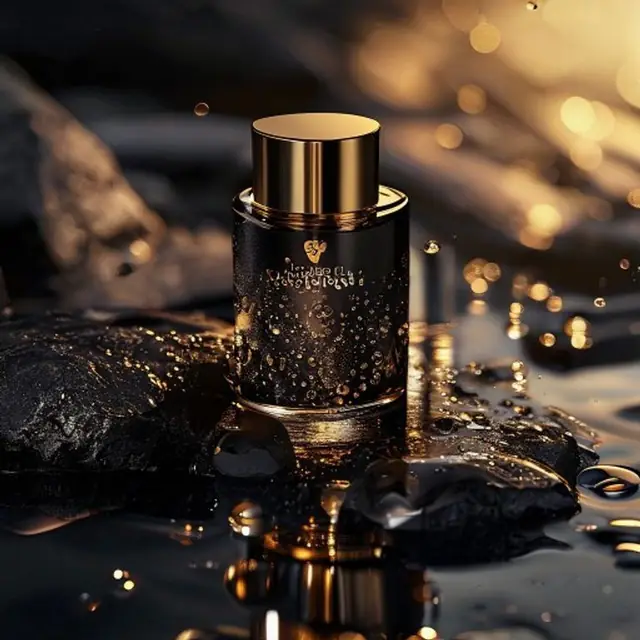
AI product photography prompts
Multi-model generation, no API key, free credits available.
Guide reviewed: 2026-08-22
Prompt advice is separated from output claims. The visible image is illustrative and is not presented as a controlled result from the prompt below.
The seven-part product photo prompt
Use this order so each phrase has a job: placement + subject + physical facts + scene + lighting + camera + composition.
- Placement: ecommerce hero, marketplace listing, paid ad, or launch post
- Physical facts: color, material, silhouette, number of objects, and label position
- Composition: aspect ratio, camera height, crop, subject position, and copy-safe space
Three copyable variations
Keep the product facts fixed. Change only the scene and placement so you can tell which direction improved the result.
- Marketplace: pure white seamless background, front three-quarter view, soft contact shadow, centered square crop
- Premium campaign: dark mineral surface, controlled rim light, shallow depth of field, wide hero crop with right-side copy space
- Lifestyle: product in realistic use, natural window light, human scale cue, editorial crop, uncluttered background
Editing a real product reference
Upload only images you own or license. Tell the model what must stay unchanged before describing the new environment.
- Preserve the product silhouette, color, proportions, label placement, and camera angle
- Change only the background, lighting, surface, and crop
- Do not rely on generation to reproduce regulated labels, safety text, or exact packaging copy
Pre-publish quality check
AI output is not automatically an accurate product photograph. Compare the image with the real item and review it at full resolution.
- Check logo spelling, label text, seams, buttons, ports, reflections, and shadow direction
- Reject invented accessories, impossible geometry, or misleading product features
- Confirm input rights, provider terms, and disclosure requirements for the final channel
Turn one prompt into a controlled shot test
Change one variable at a time. This makes the next prompt decision explainable and keeps a polished outlier from hiding repeatability problems.
- 1Save a base prompt containing the unchanging product facts and required placement.
- 2Generate three results with one model, ratio, resolution, and reference set.
- 3Score geometry, label fidelity, lighting, composition, and publication readiness.
- 4Change only one variable—such as background or camera angle—and repeat the three-result check.
- 5Keep the full prompt and review notes beside any image selected for production.
The prompt is a starting brief, not a guaranteed recipe. Banananano AI has not claimed a measured success rate for this prompt or image.
Primary sources
- Gemini API image generation documentation — Google AI for Developers
Frequently asked questions
What should a product photography prompt include?
Include the product, material, background, lighting, camera angle, crop, and where the image will be used.
How do I make product images look less generic?
Use brand colors, a specific surface material, realistic lighting, and a clear commercial placement like ecommerce hero, ad, or social launch.
Should I include the product name and logo in the prompt?
Describe the product, but do not assume generated logos or packaging text will be exact. For a real product, use a licensed reference image, state what must be preserved, then verify every label and mark.
Can I publish an AI product image as a real photo?
Do not use an output in a misleading way. Check that it represents the real item accurately and follow the disclosure, advertising, marketplace, provider, and legal requirements that apply to your use.
Start generating with Banananano AI
Use daily free credits to test models, save prompt fragments, and build a repeatable creative workflow.