Nano Banana 2 AI Image Generator
Nano Banana 2 is Google’s Gemini 3.1 Flash Image model, positioned for efficient general-purpose generation. This browser interface routes the configured model through Kie.ai; generation time and availability vary with resolution, prompt, and provider queue.
Prompt starter: A cinematic editorial portrait of a product designer holding a glowing banana-amber tablet, realistic skin texture, soft studio key light, subtle cyan rim light, shallow depth of field, 4:5 crop
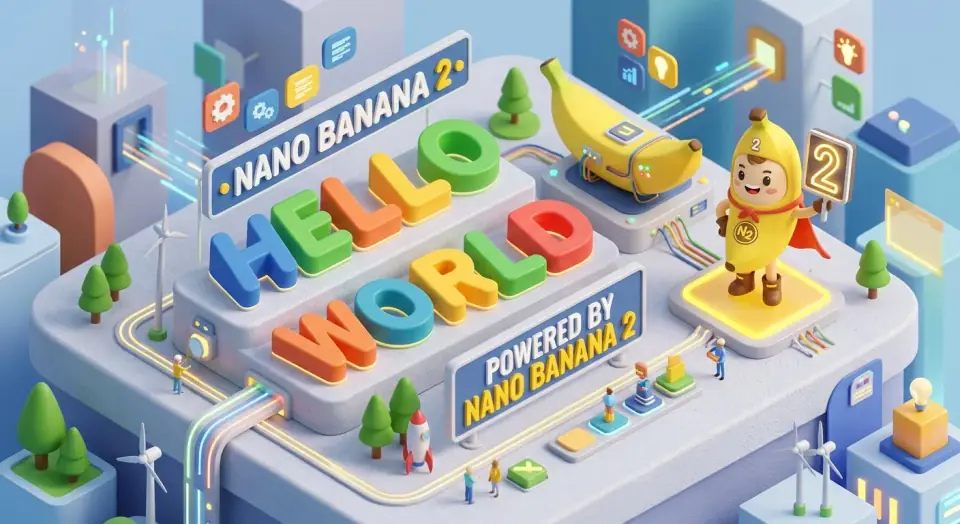
Nano Banana 2 AI image generator
Multi-model generation, no API key, free credits available.
Last verified: 2026-08-22
Model identity, supported workflow, and output guidance were checked against Google’s current model card and this site’s production configuration.
Verified facts before you generate
These details come from current product configuration and linked primary documentation. Output quality remains prompt- and image-dependent.
- Google model ID
- Gemini 3.1 Flash Image
- Banananano route
- Kie.ai · nano-banana-2
- Input workflows
- Text + reference images
- Documented output
- 0.5K to 4K
Google identifies this efficient general-purpose image model as Nano Banana 2.
The generator uses the configured Kie.ai model route. Users do not provide a separate API key.
The current product configuration enables both text generation and reference-guided editing for this model.
Google’s model card documents 0.5K, 1K, 2K, and 4K. This interface currently presents the resolutions supported by its provider route.
Start here for efficient iteration
Nano Banana 2 is the practical first test for everyday generation and editing. Use it to learn whether a brief works before spending more time on a complex production pass.
- Mood boards, thumbnails, and early campaign directions
- Portrait, product, and social image drafts
- Reference-guided changes to style, setting, or composition
Use a compact, testable prompt
Describe one deliverable and its constraints in plain language. Add exact literal text in quotation marks, but plan to verify every character in the output.
- Lead with output type, subject, environment, and crop
- Specify what to preserve when using a reference image
- Reserve negative space for copy instead of asking for a crowded final layout
Escalate only when the brief requires it
Move to Pro or another specialist model only after you identify a repeated failure such as complex layout, reference consistency, or small-text rendering.
- Keep the prompt, inputs, ratio, and resolution fixed for comparison
- Judge several outputs, not a single lucky generation
- Check the current credit estimate before changing resolution or image count
Test Nano Banana 2 without cherry-picking
A useful test asks whether the model completes your brief reliably—not whether one gallery image looks impressive.
- 1Define the output job and three non-negotiable requirements before generating.
- 2Run the same prompt at least three times with one fixed aspect ratio and resolution.
- 3Score prompt adherence, anatomy or geometry, text, and edit fidelity at full size.
- 4Only compare another model after keeping every controllable input the same.
This guide summarizes documented capabilities and a repeatable test method. It does not present invented latency, win-rate, or quality scores.
Primary sources
- Gemini 3.1 Flash Image model card — Google AI for Developers
- Gemini API image generation documentation — Google AI for Developers
Frequently asked questions
What is Nano Banana 2 used for?
Nano Banana 2 is used for AI image generation, visual brainstorming, social visuals, product mockups, portraits, and creative image edits.
Does Nano Banana 2 support uploaded images?
Yes. On supported workflows you can upload reference images and use image-to-image generation for edits and variations.
Is Nano Banana 2 always faster than Pro?
Google positions it as the efficient option, but this service does not promise fixed latency. Provider queue, resolution, image count, and prompt complexity all affect end-to-end time.
Does Nano Banana 2 add a watermark?
Banananano AI does not add a visible overlay watermark. Google states that generated images include SynthID, and other provenance metadata may be present.
Start generating with Banananano AI
Use daily free credits to test models, save prompt fragments, and build a repeatable creative workflow.