Guide reviewed: 2026-08-22
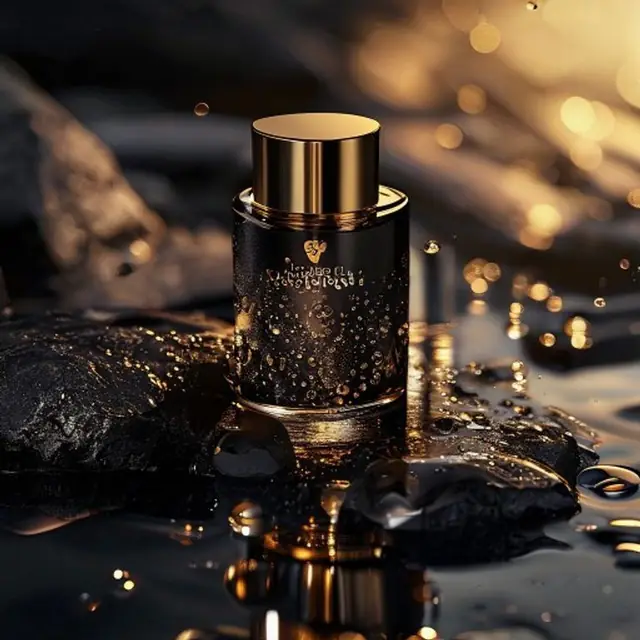
Prompt advice is separated from output claims. The visible image is illustrative and is not presented as a controlled result from the prompt below.
提示词模板
使用这个结构:产品 + 材质 + 场景 + 灯光 + 相机 + 商业用途。
- 极简电商:白色背景、柔和阴影、正面角度
- 高端营销:深色台面、轮廓光、浅景深
- 生活方式:产品使用中、自然环境、编辑风裁切
示例修饰语
小的修饰语可以让输出从普通变得可用。
- 加入“右侧留出标题文案负空间”
- 加入“一致品牌色:琥珀、炭黑、象牙白”
- 加入“真实反射、无变形 Logo、边缘干净”
可重复评测方法
Turn one prompt into a controlled shot test
Change one variable at a time. This makes the next prompt decision explainable and keeps a polished outlier from hiding repeatability problems.
- 1Save a base prompt containing the unchanging product facts and required placement.
- 2Generate three results with one model, ratio, resolution, and reference set.
- 3Score geometry, label fidelity, lighting, composition, and publication readiness.
- 4Change only one variable—such as background or camera angle—and repeat the three-result check.
- 5Keep the full prompt and review notes beside any image selected for production.
The prompt is a starting brief, not a guaranteed recipe. Banananano AI has not claimed a measured success rate for this prompt or image.
一手资料
- Gemini API image generation documentation — Google AI for Developers
常见问题
产品摄影提示词应该包含什么?
包含产品、材质、背景、灯光、相机角度、裁切方式,以及这张图将在哪里使用。
如何让产品图不那么普通?
使用品牌色、具体材质、真实灯光,并明确商业位置,例如电商主图、广告或社媒发布。
开始使用 Banananano AI 生成图像
使用每日免费额度测试模型、保存提示词片段,并建立可复用的创作工作流。